


Create Floor Slab Types From Excel
Create Floor Slab Types From Excel — Automated Structural Floor Type Creation
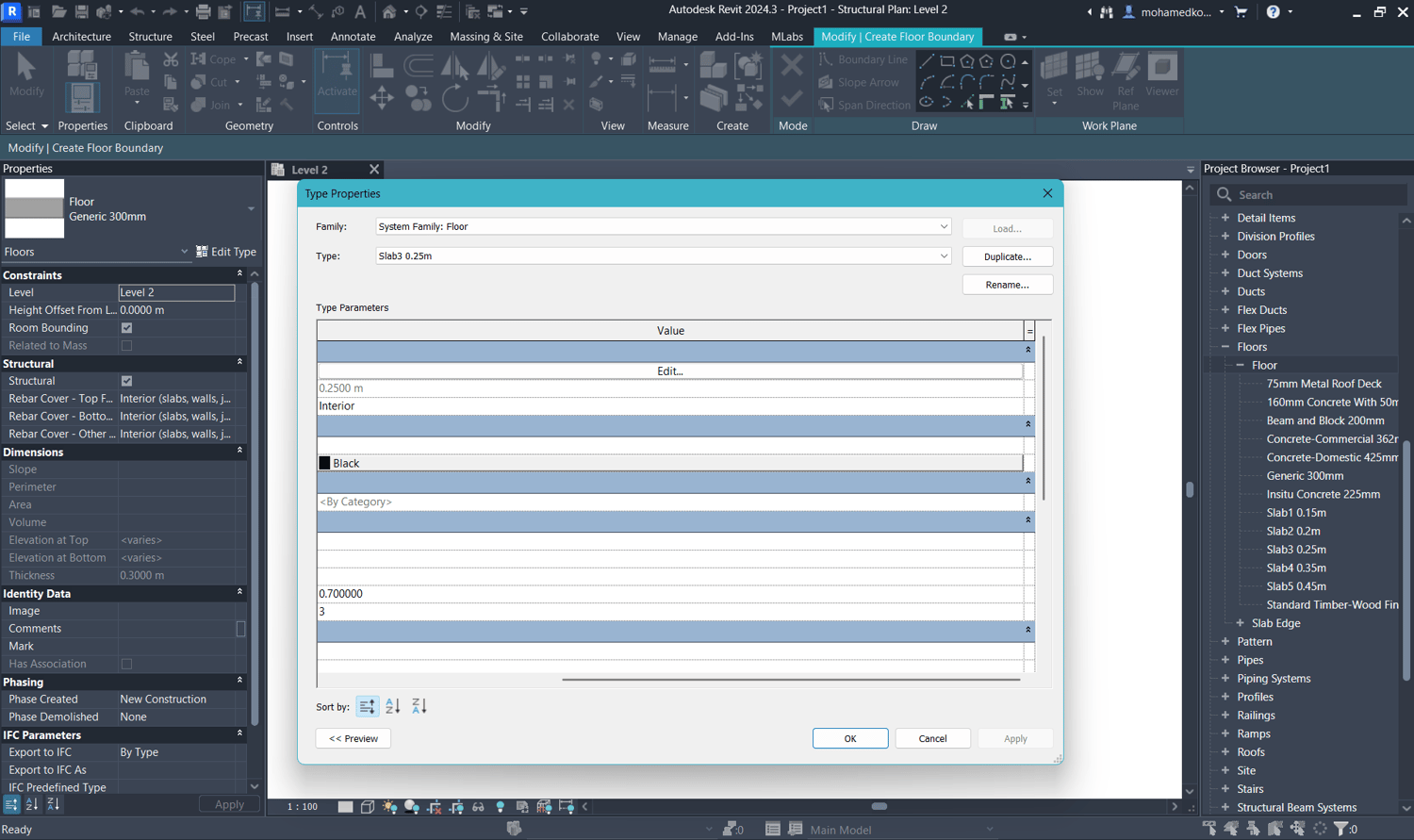
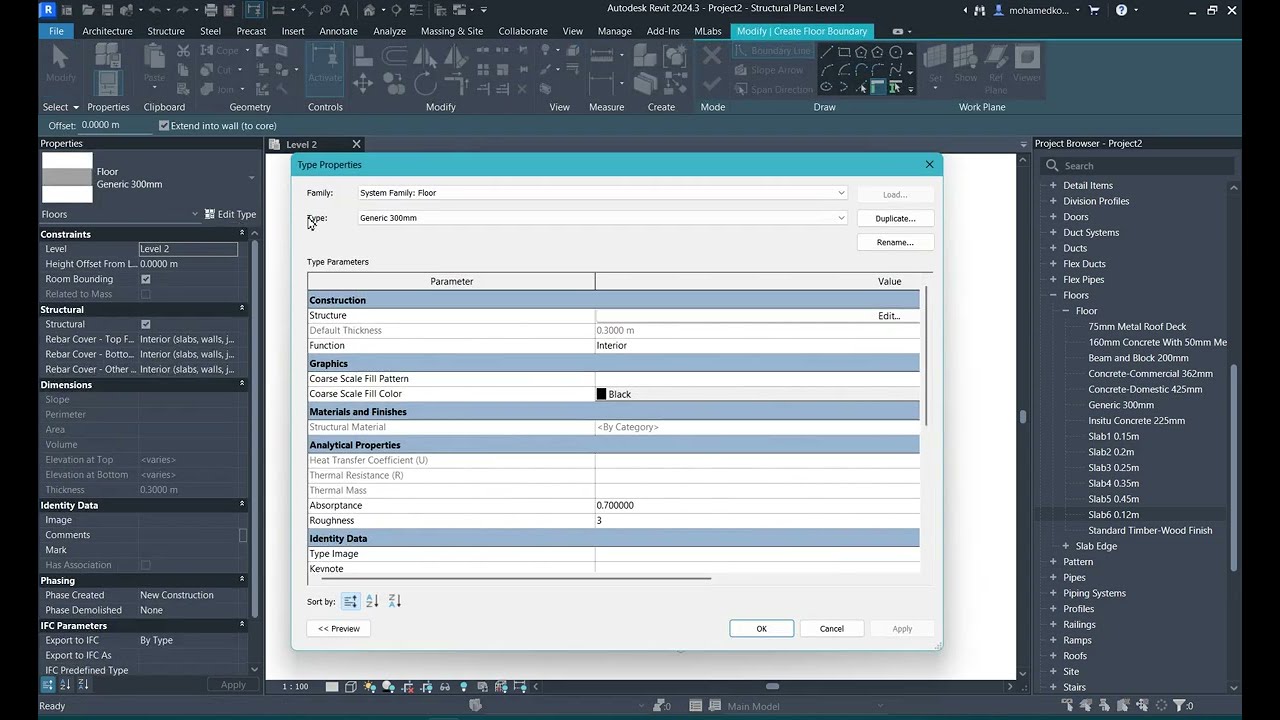
Manually creating Floor Slab types in Revit is repetitive — and editing the structural layer thickness inside a compound floor structure isn't a simple parameter edit, since native Revit tools mix structural and architectural layers together in the same type.
What This Script Does
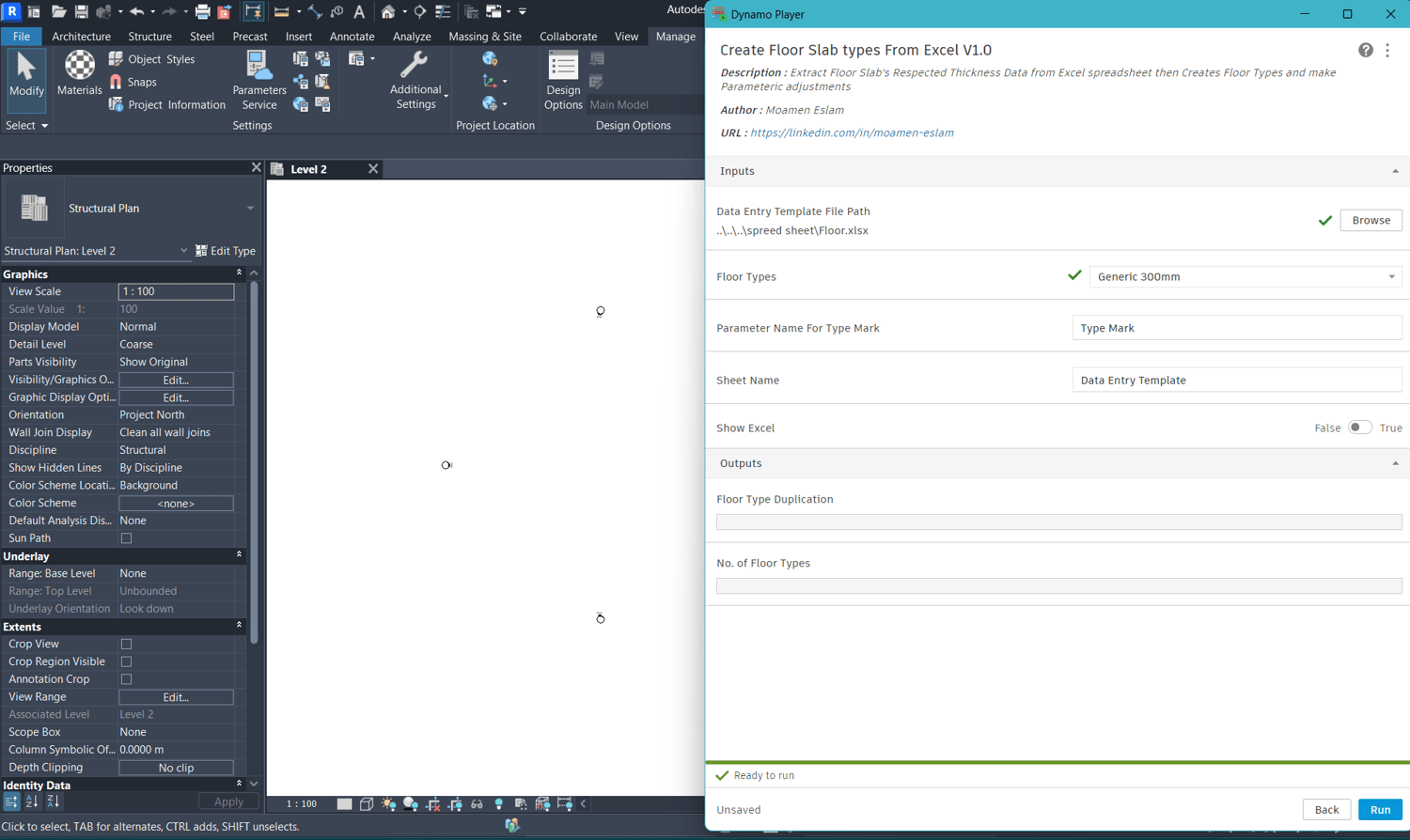
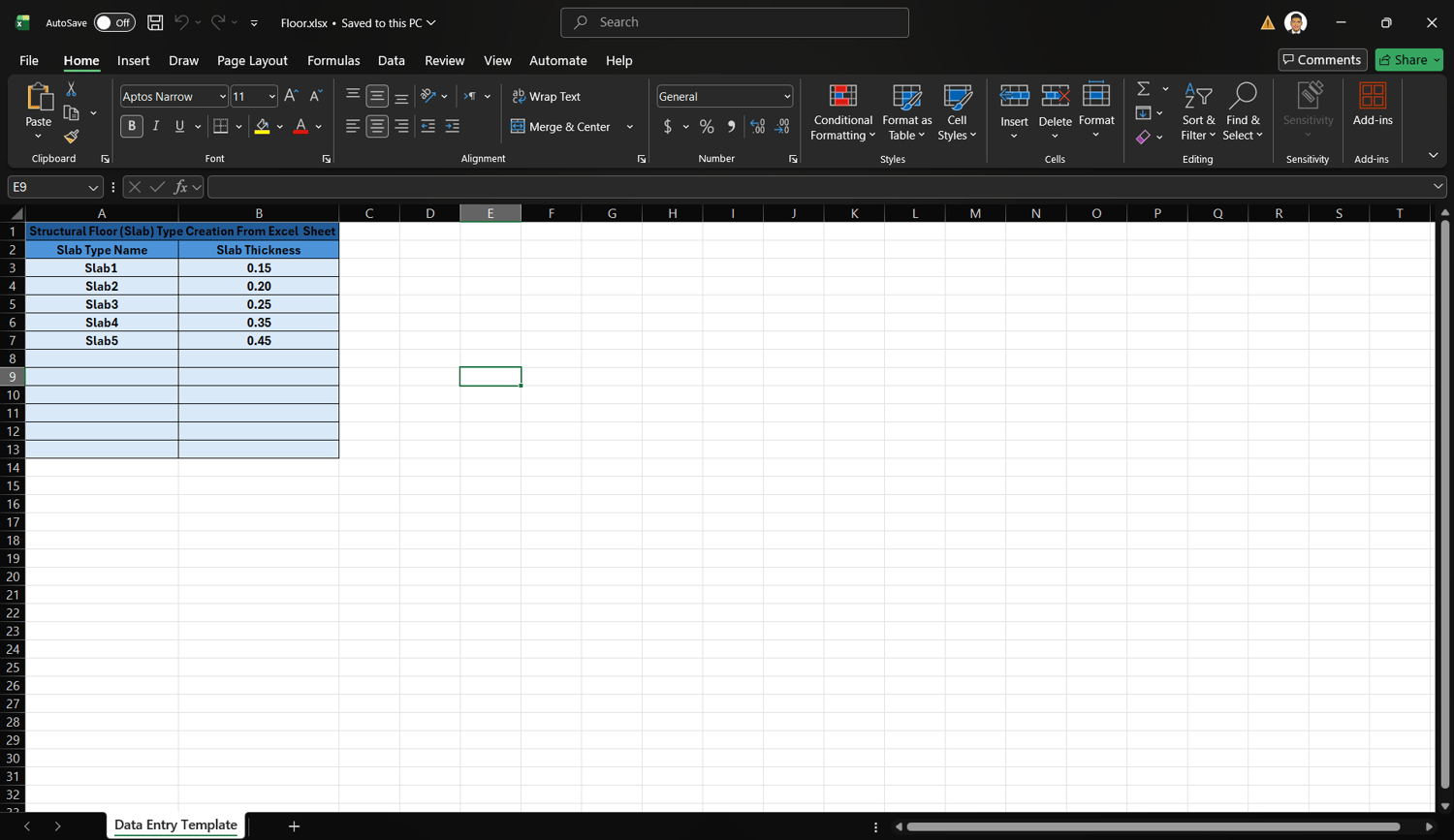
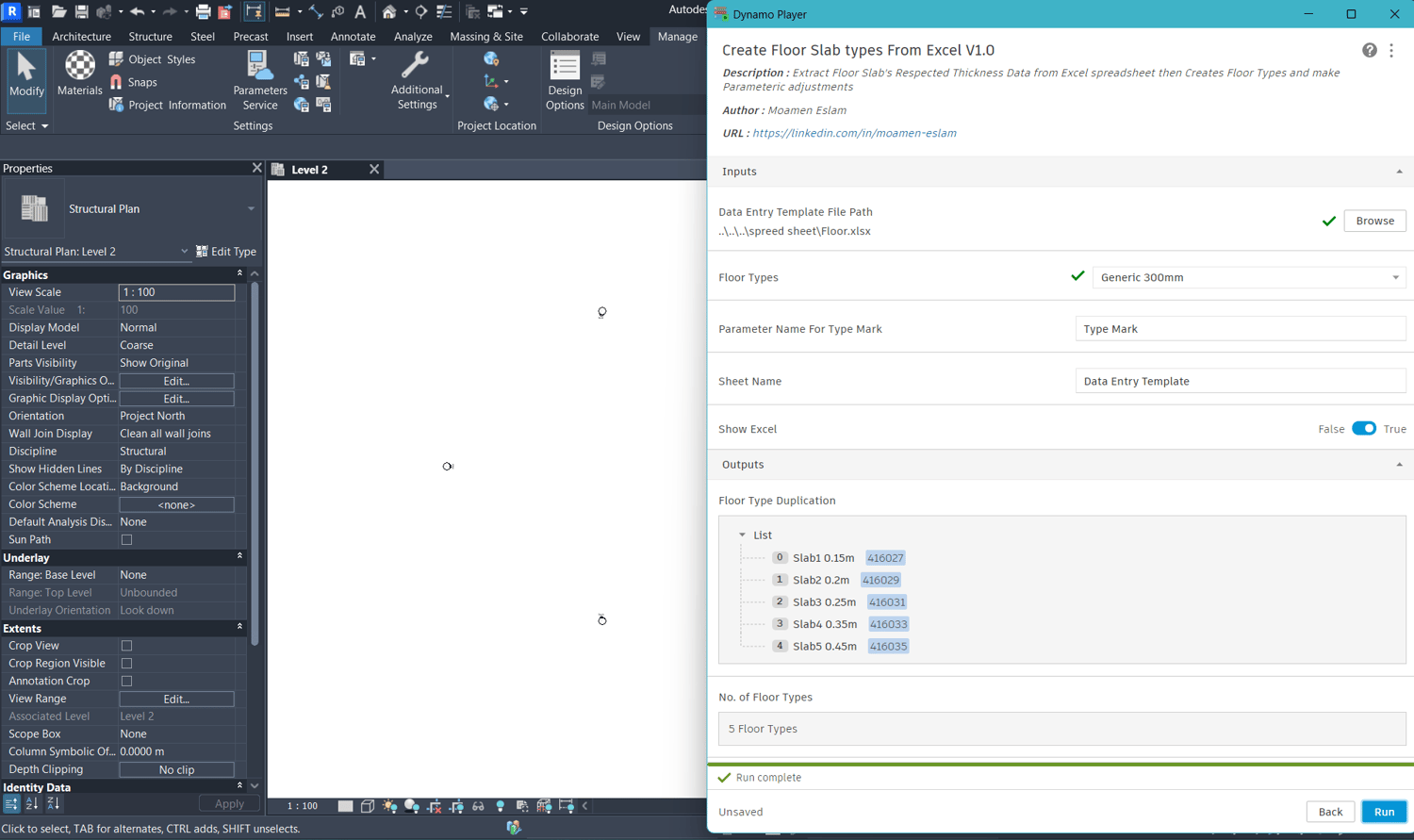
This script reads your floor slab list directly from Excel — name and Thickness — and creates every Floor Slab type automatically. Using targeted Revit API automation, it isolates and edits only the structural layer thickness, leaving the rest of the compound structure untouched.
What You Get
- The .DYN file
- Full Script Documentation
- Tested on Revit 2024.3.4 / Dynamo 2.19.4
- Required packages: None
- Dependencies: Excel Sheet File (Needed For Script to work) + Python Code (CPython 3)
Before You Buy — What You Need
- Excel sheet with floor slab name and Thickness Data
- Units matching your Revit model's unit settings
- No existing Floor Slab type in the model sharing name or exact Thickness with an incoming Excel entry
Known Limitations
- Make sure there isn't any Floor Slab in revit models that have the same name or the exact Dimensions to avoid data conflicts.
- This script edits the structural layer only within a compound floor structure — architectural layers (finishes, insulation, etc.) are not modified.
- Uses Python (CPython 3) for structural layer editing — confirmed working on Dynamo 2.19.x / Revit 2024.3.4; not verified on older Dynamo versions using IronPython 2.
- Excel Sheet template usage recommended for best results.
- Unit mismatch between Excel and Revit model will produce incorrect dimensions.
- The output format resulted: [Mark] - [Thickness] - [Unit].
Version
v1.0 — Jul 2026
License
Free to use and share for personal and professional use. No claiming authorship or removing creator credit. No resale or repackaging as a paid product.
Support
Questions before or after purchase → support@bimlion.com